
A Search Engine Optimization (SEO) plugin for WordPress is important for increasing visibility and driving traffic to your WordPress site.
Ranking on Google and other search engines like Bing requires a proper strategy. WordPress has many of the best free search engine optimization (SEO) Plugins.
Nowadays, with so many websites competing for your favourite keyword, it makes it challenging for us to rank higher.
Many blog authors and content creators often overlook essential steps before publishing their content. One common mistake is failing to target the right keywords, missing out on valuable ranking opportunities that could have been achieved with a proper Google SEO strategy.
If you are a blogger, an e-commerce store owner or even an SEO specialist yourself, using the right SEO plugins can dramatically improve your search engine rankings.
What is the use of Best Free SEO Plugins?
SEO plugins are essential tools to help optimize your WordPress website for better search engine visibility, including Google, Bing, and Yahoo.
But because of expensive pricing, people often overlook them. Finding the best free SEO plugin will help you optimize your site easily.
Free WordPress Search engine optimization plugins help you with On-page SEO optimization. You can optimize your website’s titles, meta descriptions, headings, and keywords.
They also help you create XML Sitemaps, which Google and other search bots can crawl your site efficiently. With these plugins, users can fix broken links, implement redirects, and enhance the appearance of their content in search results using schema markup.
SEO Plugins also control how your content appears when shared on Facebook, Twitter, etc.
The best part is that they can set up 301 redirects easily, which is the heartbeat of your site. Imagine you created a post or page on your website, and suddenly you change the URL of that page. The page will appear broken to the search bots.
But because you used an SEO plugin, it will automatically redirect to your newly created URL using a 301 redirect. This tells the search bot that the content has been moved to a new page along with the link juice.
The following image highlights some of the most effective SEO plugins for WordPress websites looking to rank higher in search results.

How We Analyze and Rank Best Free SEO WordPress Plugins
Our team of expert wordpress developer and testers are going to analyze the plugin based on their usage, ease of use, plugin size in MB OR KB, plugin availability and plugin price. i.e. free, premium or freemium.
This will give you insight into how the plugin performs in real-world testing. Often best free SEO plugins comes with limited features. We will dive deeper into this topic while explaining each plugin’s features, pros and cons, user installs and prices.
Performance Testing in Real Conditions
When we talk about real performance testing, we mean evaluating the SEO plugin on an actual live WordPress website, just like yours.
Instead of relying on reviews and theoretical process, we test the plugin in wordpress itself.
This type of testing gives us an authentic understanding of how the plugin performs in real user traffic, server loads and content publishing scenarios.
We check:
Page Load Speed Impact: Does the plugin slow down your site?
Resource Usage: How much memory or CPU does it consume?
SEO Effectiveness: Does it actually improve your meta data, keyword targeting, and search engine indexing over time?
Stability: Are there bugs, errors, or conflicts with other themes/plugins?
Ease of Using the Best Free SEO WordPress Plugin
An SEO plugin is only as good as its usability. Here’s how we evaluate it:
Dashboard Design: Is the UI clean, well-organized, and intuitive?
Real-Time Suggestions: Does it provide helpful tips while you write content (e.g., focus keyword alerts, readability checks)?
Feature Accessibility: Are tools like schema, breadcrumbs, redirections, and sitemaps easy to find and use?
Learning Curve: How long does it take to become proficient with the plugin?
We look for plugins that balance powerful features with user-friendly controls, so both beginners and experts can benefit.
Pros and Cons of Free SEO Plugins
An SEO plugin is only as good as its usability. Here’s how we evaluate it:
Dashboard Design: Is the UI clean, well-organized, and intuitive?
Real-Time Suggestions: Does it provide helpful tips while you write content (e.g., focus keyword alerts, readability checks)?
Feature Accessibility: Are tools like schema, breadcrumbs, redirections, and sitemaps easy to find and use?
Learning Curve: How long does it take to become proficient with the plugin?
We look for plugins that balance powerful features with user-friendly controls, so both beginners and experts can benefit.
Pricing
Pricing plays a huge role, especially for small businesses and bloggers.
Here’s how we analyze it:
Free vs Premium: What features are included for free, and which require an upgrade?
Pricing Tiers: Are there multiple plans (e.g., personal, business, agency)?
Value for Money: Do the paid features justify the cost?
Refund Policy: Is there a money-back guarantee?
Quick View Table for Best Free WordPress SEO Plugins – At a Glance
20 Best Free WordPress SEO Plugins
1) RankMath
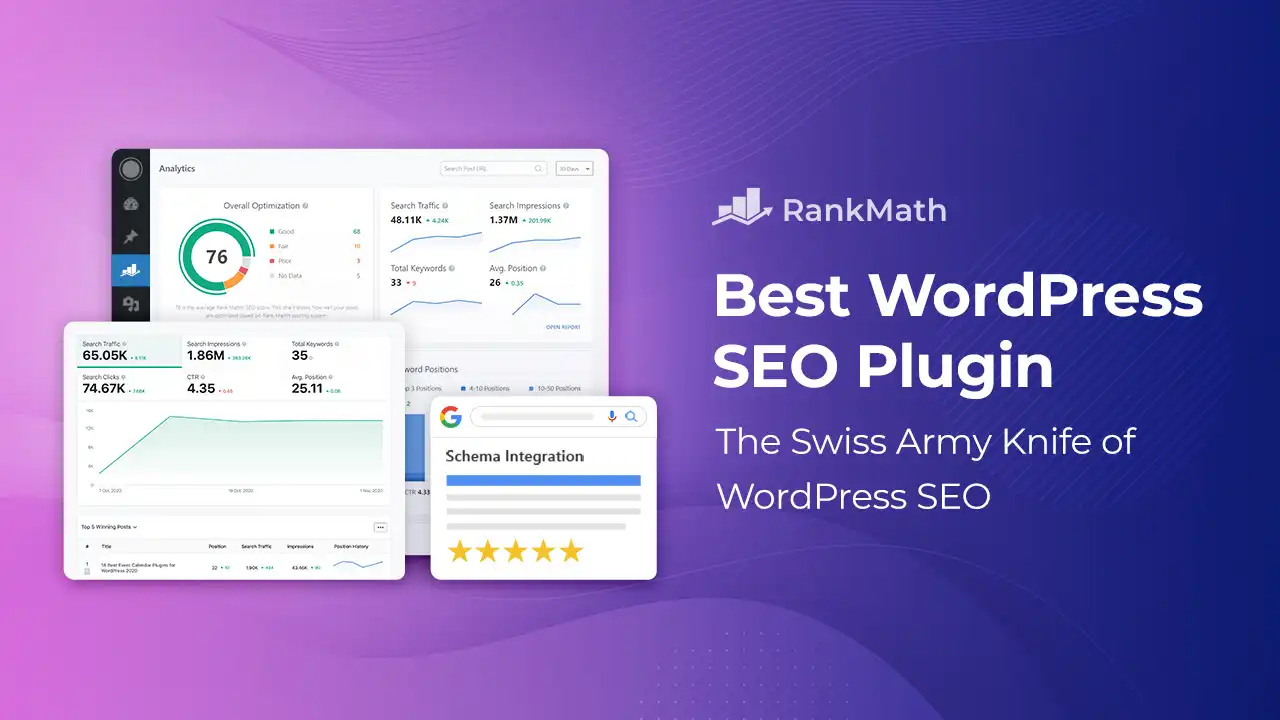
Rank Math has quickly become one of the most powerful SEO plugins for WordPress.
It distinguishes itself by offering a free version that includes tools that many other plugins reserve for paid plans.
If you are just a beginner or even a professional website developer, you can use Rank Math for your website SEO with ease.
Setup Experience
Rank Math’s user-friendly setup wizard features both “Easy” and “Advanced” modes.
Beginners can allow Rank Math to manage most of the configuration automatically.
While advanced users can take full control over technical SEO settings, such as image SEO, redirections, schema, and more.
The plugin efficiently imports SEO data from other well-known tools like Yoast, AIOSEO, or SEOPress without losing any important metadata, making the migration process seamless.
Free Features That Compete with Premium
Even in its free version, Rank Math includes a broad array of features such as:
- Multiple Focus Keywords per post
- Google Search Console integration
- Internal Link Suggestions
- SEO Meta Box for editing meta titles/descriptions
- Schema Markup (rich snippets support)
- WooCommerce SEO for product optimization
- Open Graph Metadata for social sharing
- Basic Local SEO setup
- Image SEO automation
Additionally, the real-time SEO analysis tool scores each page/post and recommends improvements based on SEO best practices.
While the readability analysis isn’t as detailed as Yoast’s, the content analysis is comprehensive and usable.
Premium Features & Content AI
Upgrading to Rank Math Pro unlocks advanced tools like a keyword rank tracker, position history, and an advanced schema builder.
You also gain access to the Content AI module, which provides 750 AI credits per month (even in the free version).
It supports over 40 AI writing tools for generating titles, meta descriptions, intros, conclusions, and content ideas, making Rank Math a smart assistant for content marketers.
Compatibility & Performance
Rank Math is built with performance in mind. It is the best lightweight, fast-loading, and stable plugin available for WordPress.
It integrates seamlessly with major page builders like Elementor, Divi, Beaver Builder, Oxygen, Gutenberg, and the Classic Editor.
Despite its feature depth, it remains responsive and does not significantly affect site speed.
Pros and Cons
Pros:
- Huge free feature set (better than most paid tools)
- Content AI and automation features
- Lightweight and speed-optimized
- Beginner-friendly and expert-ready
- Seamless integration with page builders and WooCommerce
Cons:
- Slight learning curve for non-technical users
- Can be overwhelming with too many options for beginners
- Some key automation features require Pro version
Pricing
- Free Version: Available with extensive features
- Pro Plan: $59/year (for the first year), then $95/year – Supports multiple websites
- Business & Agency Plans: Scales with needs (for SEO professionals and developers)
2) Yoast SEO Plugin

Yoast SEO is the most widely used SEO plugin in the WordPress ecosystem.
It provides all the tools needed to optimize on-page SEO, from meta tags to readability checks.
The plugin helps you optimize content for a focus keyword, create XML sitemaps, and manage breadcrumbs. It also offers social previews, canonical URLs to avoid duplicates, and advanced schema implementation.
Yoast is one of the oldest plugins of all time. Yoast SEO also provides tons of courses and tutorials for beginners.
Yoast has an AI Optimize feature that lets you use AI to analyze your website and recommend changes based on its database.
Yoast also provides some add-ons like Local SEO Add-on, News SEO Add-on, WooCommerce SEO Add-on, and Video SEO Add-on.
Yoast is ideal for beginners and pros who need a simple but powerful SEO plugin that can be used as a daily and low-cost substitute.
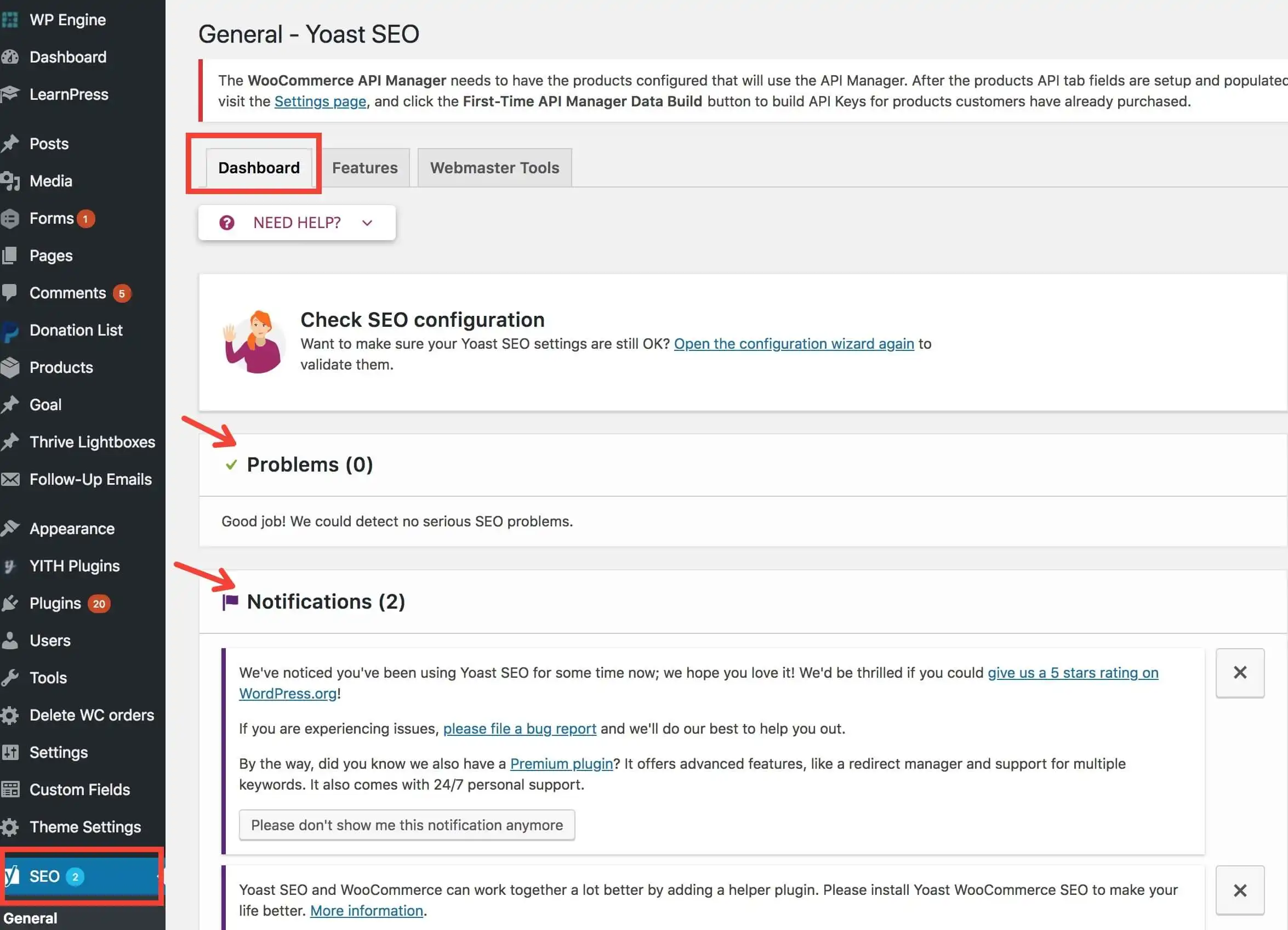
Core Features in Free Version
Yoast’s free version is equipped with everything you need to get started with SEO:
- Focus keyword analysis with readability checks
- XML sitemap generation
- Meta title and description editor
- Schema.org integration for rich results
- Breadcrumb control for better site navigation
- Social sharing previews (Facebook & Twitter)
- Canonical URL support to prevent duplicates
Although limited compared to competitors like Rank Math, Yoast’s free version still covers all the SEO fundamentals effectively.
Premium & Add-Ons
With Yoast SEO Premium, you unlock a host of advanced features:
- Automatic redirect manager for URL changes
- Internal linking suggestions as you write
- AI tools for generating optimized meta descriptions and titles
- Multiple focus keywords
- Content insights and advanced readability suggestions
- Google Docs Add-on to optimize content outside WordPress
Integrations & Performance
Yoast integrates smoothly with popular tools like Semrush for keyword suggestions and Wincher for rank tracking. It also works well with page builders like Elementor and Gutenberg.
However, it can be slightly resource-intensive compared to lightweight alternatives, especially on larger sites.
Pros and Cons
Pros:
- Beginner-friendly interface with guided SEO suggestions
- Well-structured documentation and regular updates
- Trusted brand with a long-standing reputation
- Includes Schema, breadcrumbs, and social previews
- Seamless migration from other plugins
Cons:
- Free version has fewer tools compared to alternatives like Rank Math
- Requires separate purchases for Local, Video, and WooCommerce SEO
- Slightly heavier on performance for large-scale websites
Pricing
- Free Version: Available
- Yoast SEO Premium: $99/year for one site
- Specialty Add-ons: $79/year each (Local, News, Video, WooCommerce)
- Bundle Package: Available for multi-feature use at discounted pricing
3) Ahrefs SEO WordPress Plugin
The Ahrefs SEO plugin integrates with the powerful Ahrefs SEO platform, giving WordPress users real-time SEO audits and backlink analysis right from their dashboard.
While Ahrefs is better known as an external SEO tool, this plugin connects your site directly with Ahrefs’ data, helping you identify SEO issues like broken links, low-performing pages, and content gaps.
It’s best suited for those already using Ahrefs and wanting actionable data on-site.
Key Features
- On-page SEO audit reports
- Backlink profile monitoring
- Content audit based on real traffic data
- Integration with Google Analytics
- Broken link identification
Pros and Cons
Pros:
- Offers powerful SEO insights directly within WordPress
- Combines on-site and off-site data
- Easy to interpret for SEO professionals
- Works well with other SEO plugins
Cons:
- Requires an Ahrefs subscription
- Focuses more on auditing than implementing changes
- May be overkill for casual users
4) Squirrly SEO WordPress Plugin
Squirrly SEO is like having a personal SEO assistant right inside your WordPress dashboard.It’s built with the non-technical user in mind, perfect for bloggers, marketers, entrepreneurs, and small businesses who want to boost their search rankings without mastering complicated SEO strategies.
Intelligent Setup for All Skill Levels
Squirrly gets you started fast with two modes:
Beginner Mode – Let the built-in AI consultant take the lead and set everything up for you.
Expert Mode – Dive into advanced settings and customize your SEO stack manually.It even lets you import settings from plugins like Yoast, Rank Math, and others—saving you tons of time during the switch.
Live SEO Feedback While You Write
The SEO Live Assistant is a standout feature. As you create or edit content in WordPress and if you’re using the Classic Editor, Gutenberg, Elementor, or Divi, it gives real-time suggestions for keywords.Formatting, structure, and SEO best practices are also easy using this plugin.Think of it as having an SEO coach sitting next to you.
Complete SEO Lifecycle Support
Squirrly goes beyond just on-page optimization. It helps with:
- Keyword research
- Rank tracking
- Technical site audits
- Schema and rich snippets
- Competitor SEO analysis
- Social media optimization
Gamified Learning & Strategy Tools
One of the most refreshing parts of Squirrly is its educational tools and gamified features like Daily SEO Goals, 14-Day Ranking Challenge, and The Race to the Top.It helps you learn while you grow perfect if you’re still finding your SEO footing.
Pros and Cons
Pros:
- Real-time SEO feedback while writing
- Built-in keyword research and audit tools
- Works with all major page builders
- Great for beginners and intermediate users
- WooCommerce support included
Cons:
- UI can feel overwhelming at first
- Free version limits usage volume per day
- Learning curve if using all features at once
Pricing
- Free version: Available for one site (limited by usage, not features)
- Premium plans: Start at $9.99/month
5) SEOPress WordPress Plugin
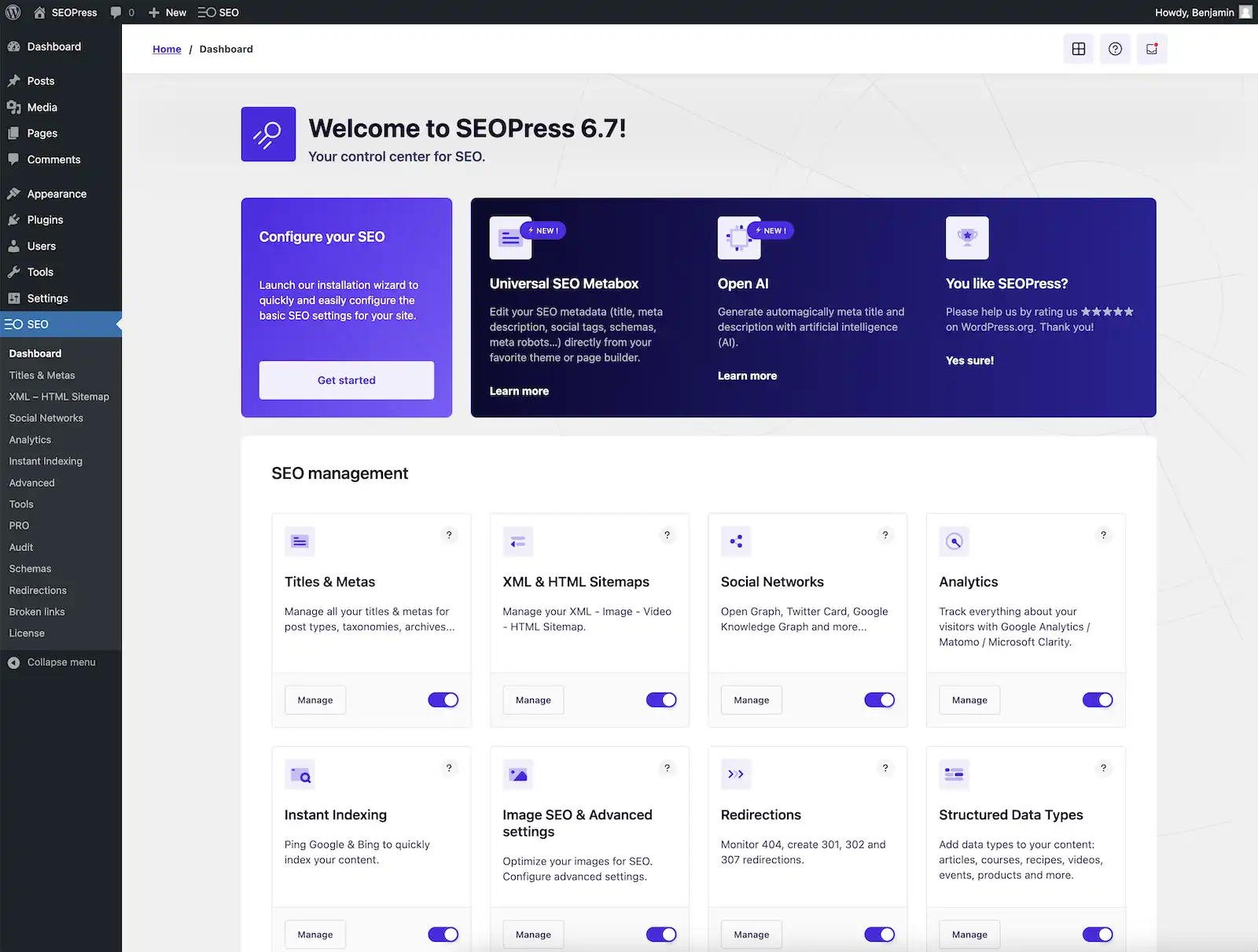
SEOPress is a robust and versatile WordPress SEO plugin that offers powerful features for website optimization.Known for its clean UI and developer-friendly architecture, SEOPress includes everything from meta titles and descriptions to social media integration, Google Analytics, and schema support.It even offers features like redirection management and broken link detection.SEOPress is an excellent Yoast alternative for those looking for more control and flexibility, and it’s 100% white-label, making it perfect for agencies.
Key Features
- Meta titles, descriptions, and open graph customization
- Google Structured Data (schema markup)
- Google Analytics and Matomo integration
- Redirect manager and 404 monitoring
- WooCommerce SEO support
- XML and HTML sitemaps
- White-label branding (Pro version)
Pros and Cons
Pros:
- Clean, ad-free interface
- Affordable pricing with generous features in the free version
- Developer-friendly with custom hooks
- No footprint—perfect for white-label solutions
Cons:
- Not as beginner-friendly as Yoast or AIOSEO
- Learning curve for users unfamiliar with technical SEO
- Some advanced features locked behind Pro plan
6) All in One SEO (AIOSEO) WordPress Plugin
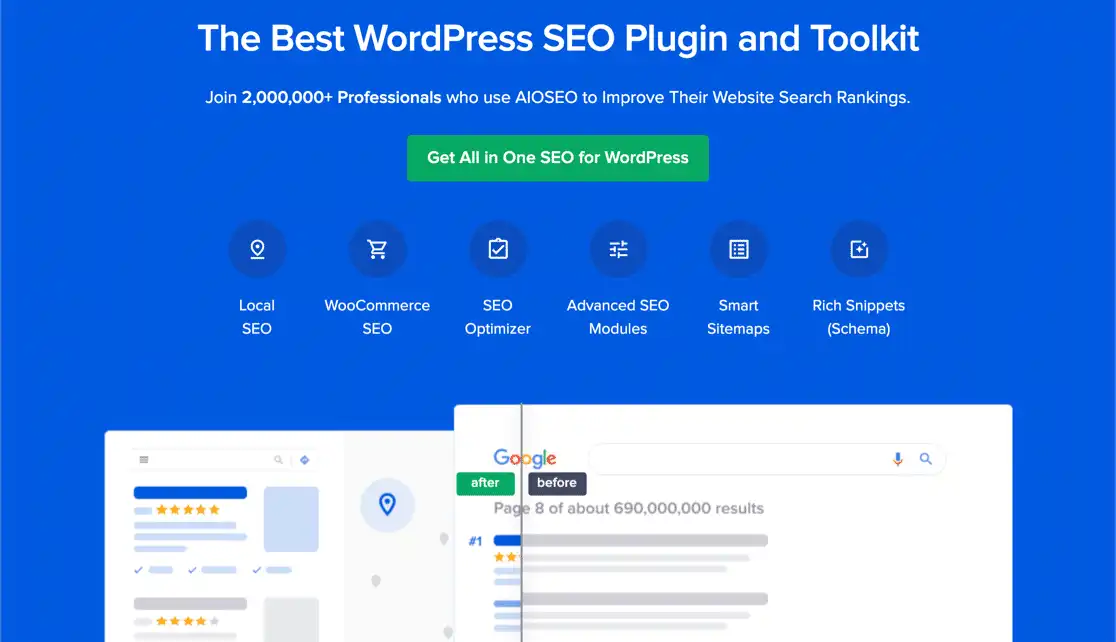
All in One SEO (AIOSEO) is a powerful WordPress plugin offering a comprehensive set of SEO tools out of the box. With an easy-to-navigate setup wizard, it caters to users of all skill levels.
AIOSEO covers every aspect from on-page optimization, schema markup, local SEO, WooCommerce support, and XML sitemap creation. It also supports TruSEO on-page analysis and integrates seamlessly with social media platforms to manage previews.
AIOSEO is known for its balance of features and performance, making it a strong alternative to Yoast.
Key Features
- TruSEO on-page analysis
- Smart meta tag generation
- Local SEO support
- WooCommerce optimization
- Rich snippet schema markup
- Social media integration
- Advanced XML and RSS sitemaps
Pros and Cons
Pros:
- Clean interface and easy onboarding
- Strong performance and lightweight compared to alternatives
- Suitable for local businesses and eCommerce
- Excellent documentation and tutorials
Cons:
- Some features require the Pro version
- Interface can be overwhelming due to feature depth
- Slightly expensive for beginners or small sites
7) The SEO Framework WordPress Plugin
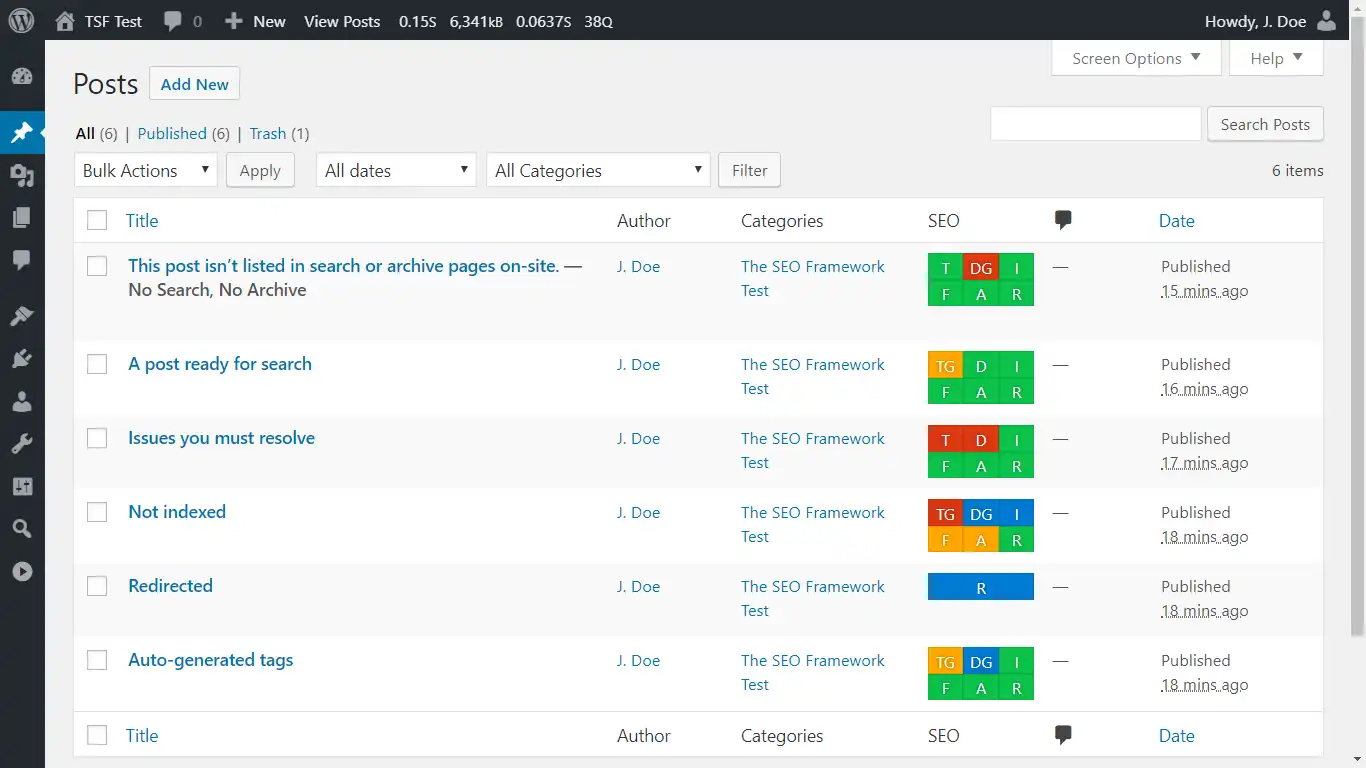
The SEO Framework is a lightweight, fully automated SEO plugin that emphasizes speed and simplicity. Unlike other plugins with flashy dashboards and notifications, The SEO Framework focuses on clean performance.
It automatically generates meta titles, descriptions, canonical URLs, and breadcrumbs. Its AI-based setup adapts to your website, making it suitable for users who prefer a minimalist and efficient SEO solution.
It’s one of the rare plugins that maintains full functionality without pushing upsells or branding.
Key Features
- Preconfigured for optimal performance
- AI-powered metadata generation
- No ads or branding
- Full Open Graph and Twitter Card support
- Local SEO and sitemap integrations
- Optional extension manager for extra functionality
Pros and Cons
Pros:
- Extremely lightweight and fast
- No distractions—free of ads and upsells
- Excellent for developers and minimalists
- Privacy-focused and GDPR compliant
Cons:
- Not as feature-rich as Rank Math or AIOSEO
- Interface may feel “too simple” for some users
- Extensions needed for more advanced SEO functions
Pricing
- Free Version: Available with essential features and no branding
- Pro Plan: Starts at $7/month (billed yearly) with access to all premium extensions
- Business Plans: Scalable options for agencies and developers managing multiple sites
8) Broken Link Checker WordPress Plugin
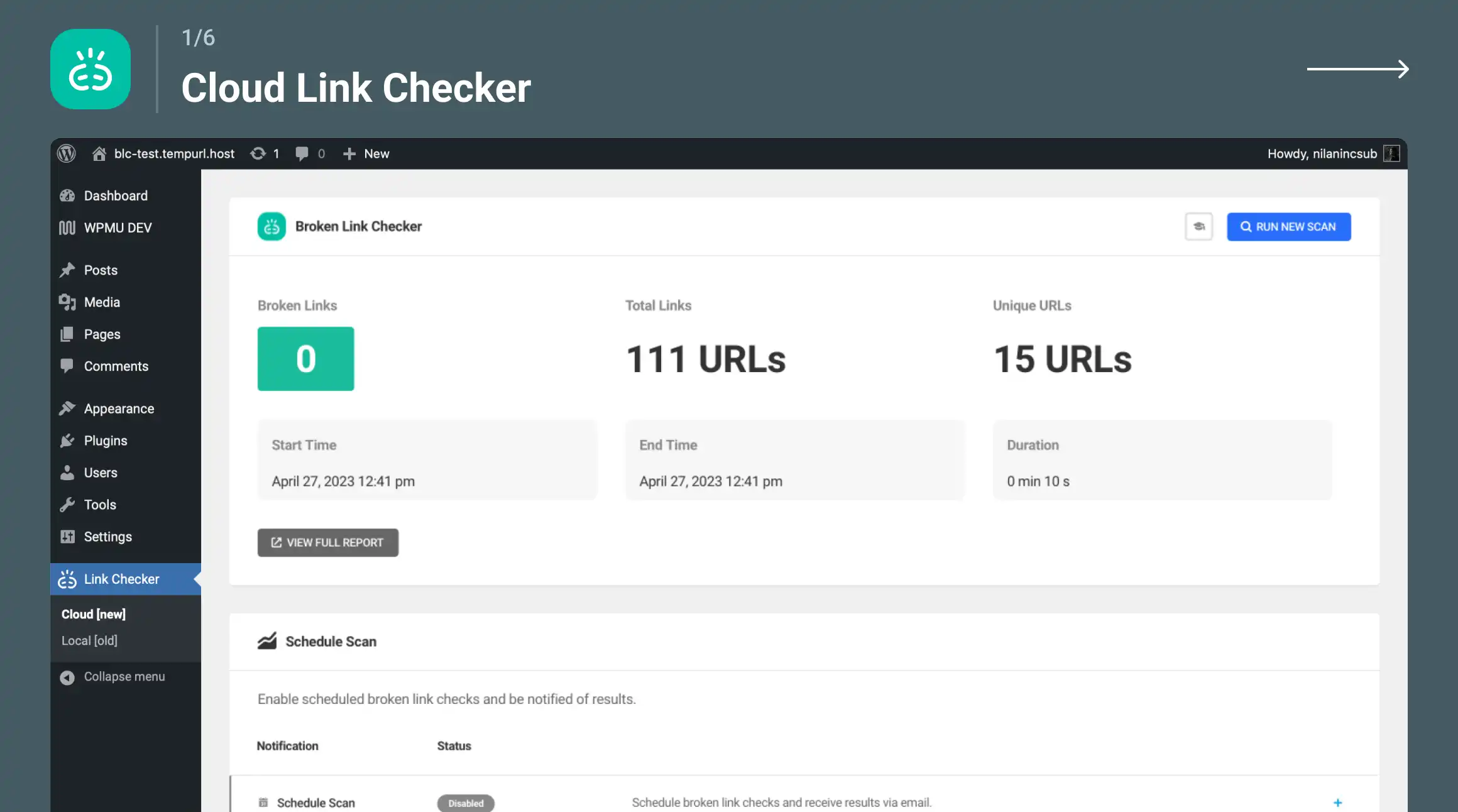
Broken Link Checker is a must-have plugin for maintaining SEO health. It scans your WordPress site for broken links, missing images, and redirects—then provides easy fixes directly from the dashboard.
This prevents users and search engines from hitting dead ends, which can harm your site’s SEO ranking. The plugin runs regular scans and offers real-time monitoring, ensuring your internal and external links stay clean.
It can even notify you by email whenever it detects a problem.
Key Features
- Automated broken link detection
- Monitors internal and external links
- Optional email notifications
- Inline editing for quick fixes
- Option to prevent search engines from following broken links
Pros and Cons
Pros:
- Critical for maintaining site SEO and UX
- Saves time by automating link checking
- Easy to use and configure
- Free and open source
Cons:
- Can be resource-intensive on large sites
- Not actively maintained as of recent years (use with caution)
- May conflict with aggressive caching setups
Pricing
- Free Version: Available via the WordPress Plugin Repository
- Premium Alternative: WPMU DEV Broken Link Checker – Starts at $7.50/month with cloud-based scanning and performance improvements
9) Redirection WordPress Plugin
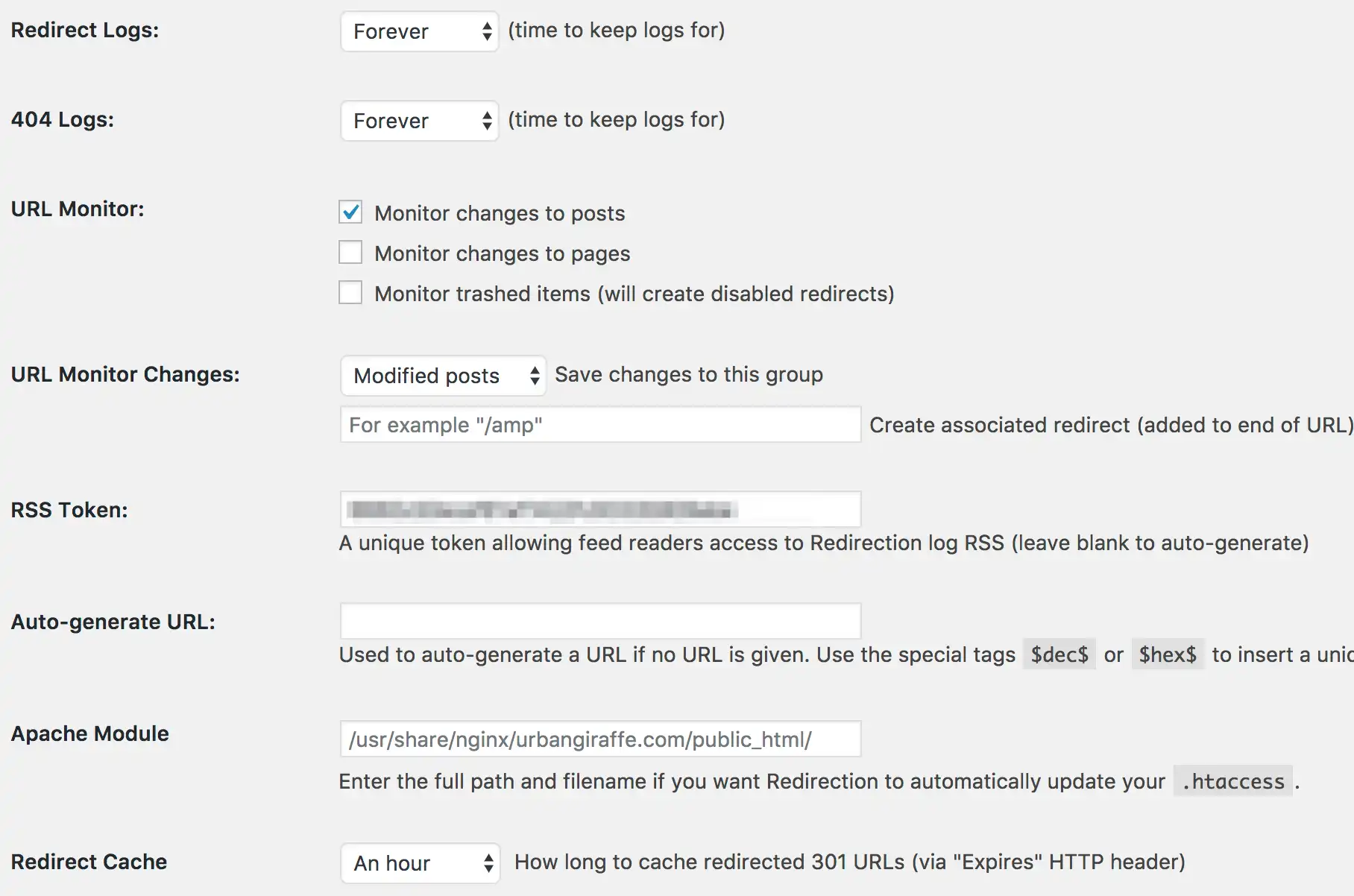
Redirection is the most popular redirect manager plugin for WordPress. It helps you handle 301 redirects, monitor 404 errors, and tidy up any loose ends in your site structure. This is essential not just for SEO, but for user experience as well.
Whether you’re migrating pages, changing URLs, or cleaning up your permalinks, Redirection lets you manage everything from a simple interface. It also supports conditional redirects based on user roles, referrers, or login status, giving you advanced control without writing any code.
Key Features
- Easy 301 and 302 redirection setup
- 404 error logging and reporting
- Conditional redirects (based on referrer, login status, etc.)
- Regular expression (regex) support
- Import/export rules via CSV or .htaccess
- Query parameter matching
Pros and Cons
Pros:
- Completely free with no premium version
- User-friendly and flexible
- Handles large volumes of redirects efficiently
- Helps maintain SEO integrity after content changes
Cons:
- UI can be overwhelming for beginners
- Lack of built-in backup for rules
- No native integration with schema or sitemaps
Pricing
- Free Version: 100% free and open-source
- Premium Plan: Not applicable – all features are included in the free version
10) Schema Pro WordPress Plugin

Schema Pro by Brainstorm Force is a premium plugin designed to help WordPress users add rich snippets and structured data to their sites. Search engines like Google use this data to display rich results like star ratings, FAQs, recipes, product info, and more.
Schema Pro makes it easy to implement schema types such as Article, Product, Review, Event, Local Business, and more without any coding. This plugin works great with page builders like Elementor and is known for its intuitive UI and performance.
Key Features
- Supports 20+ schema types (Product, Review, Article, etc.)
- Easy point-and-click interface
- Conditional logic to target schema display
- Works with custom post types
- JSON-LD structured data output
- Compatible with most SEO plugins
Pros and Cons
Pros:
- Fast implementation of rich snippets
- Boosts visibility in search results with enhanced listings
- Intuitive setup wizard
- One of the best schema tools for non-developers
Cons:
- No free version (premium-only)
- Focused solely on schema—needs other plugins for SEO
- May overlap with features in plugins like Rank Math
Pricing
- Schema Pro Premium: $67/year for 1 website
- Lifetime Plan: $237 one-time payment
- Included: 20+ Schema types, updates, support, and use on unlimited sites with Agency Bundle
11) WP Rocket WordPress Plugin
While not an SEO plugin in the traditional sense, WP Rocket is a premium caching plugin that plays a significant role in SEO by improving website speed. Since Google considers page load time as a ranking factor, using WP Rocket helps indirectly boost your SEO.
It offers advanced caching, file optimization, database cleanup, CDN integration, and lazy loading, all through a user-friendly dashboard. Unlike most caching plugins, WP Rocket works out-of-the-box without requiring complicated settings.
Key Features
- Page caching and browser caching
- GZIP compression and file minification
- Lazy loading for images and videos
- Database optimization
- Preloading of cache and DNS prefetching
- CDN and Cloudflare integration
Pros and Cons
Pros:
- Noticeable improvement in site speed
- Beginner-friendly with minimal setup
- Compatible with WooCommerce and multilingual plugins
- No need for multiple speed optimization plugins
Cons:
- Premium-only; no free version
- Can conflict with certain shared hosting environments
- Some features require understanding of technical terms
Pricing
- Single Site License: $59/year
- Plus (3 websites): $119/year
- Infinite (unlimited websites): $299/year
12) MonsterInsights WordPress Plugin
MonsterInsights is the most popular Google Analytics plugin for WordPress, helping site owners track user behavior, traffic sources, conversions, and more.
While it’s not a traditional SEO plugin, it plays a key role in SEO strategy by offering insights into how users find and interact with your content.
It includes built-in reports for real-time traffic, top pages, referral sources, and eCommerce performance. For content-focused websites, MonsterInsights helps identify what works and what needs SEO improvement.

Key Features
- Google Analytics integration (Universal + GA4)
- Real-time and historical traffic reports
- Top landing page and outbound link tracking
- eCommerce and affiliate tracking
- GDPR and EU compliance features
- Page-level insights and custom dimensions
Pros and Cons
Pros:
- Beginner-friendly setup and dashboard
- Essential for making data-driven SEO decisions
- Accurate tracking of keyword performance and user behavior
- Supports Google Analytics 4 and Universal Analytics
Cons:
- Limited features in the free version
- Can be overkill if you’re only focused on SEO
- Premium plans can get expensive
Pricing
- Free Version: Available with basic reports
- Plus Plan: $99.50/year for 1 site
- Pro Plan: $199.50/year for 5 sites
- Agency Plan: $399.50/year for 25 sites
13) WP Meta SEO WordPress Plugin
WP Meta SEO is a powerful SEO plugin designed to manage all your website’s meta information in bulk.
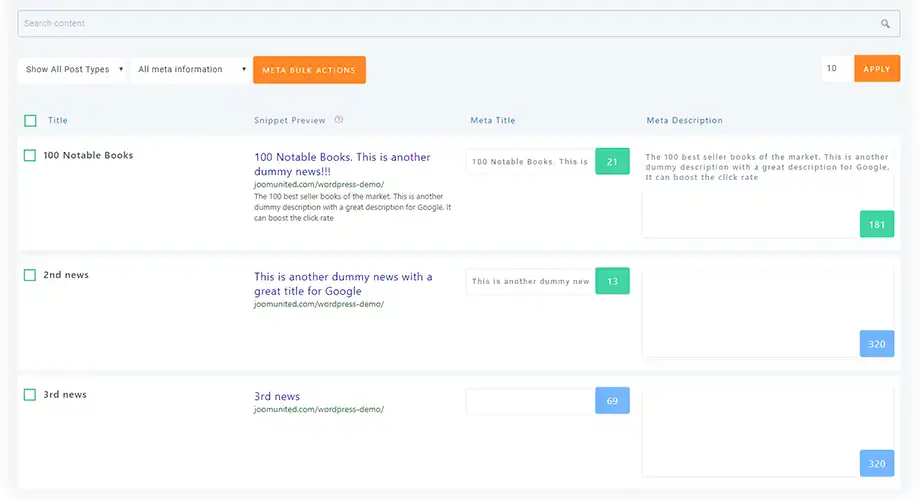
It lets you edit meta titles, descriptions, image alt tags, and even fix broken links across your site from a single dashboard.
The plugin also includes SEO analysis tools, sitemaps, and Google Search Console integration. It’s ideal for users managing large content-heavy websites who need to handle optimization efficiently.
Key Features
- Bulk edit meta titles and descriptions
- Image SEO optimization (alt and title tag management)
- Google Search Console integration
- XML and HTML sitemap generation
- Redirect manager and 404 monitoring
- WooCommerce support
Pros and Cons
Pros:
- Excellent for bulk optimization tasks
- Saves time with centralized editing interface
- Visual indicators for SEO improvements
- Compatible with Gutenberg and classic editor
Cons:
- UI may feel outdated to some users
- Premium features needed for full functionality
- Not as intuitive for beginners compared to Yoast or Rank Math
Pricing
- Free Version: Available with basic bulk editing tools
- Pro Plan: Starts at $49/year for one website
14) Google XML Sitemaps WordPress Plugin
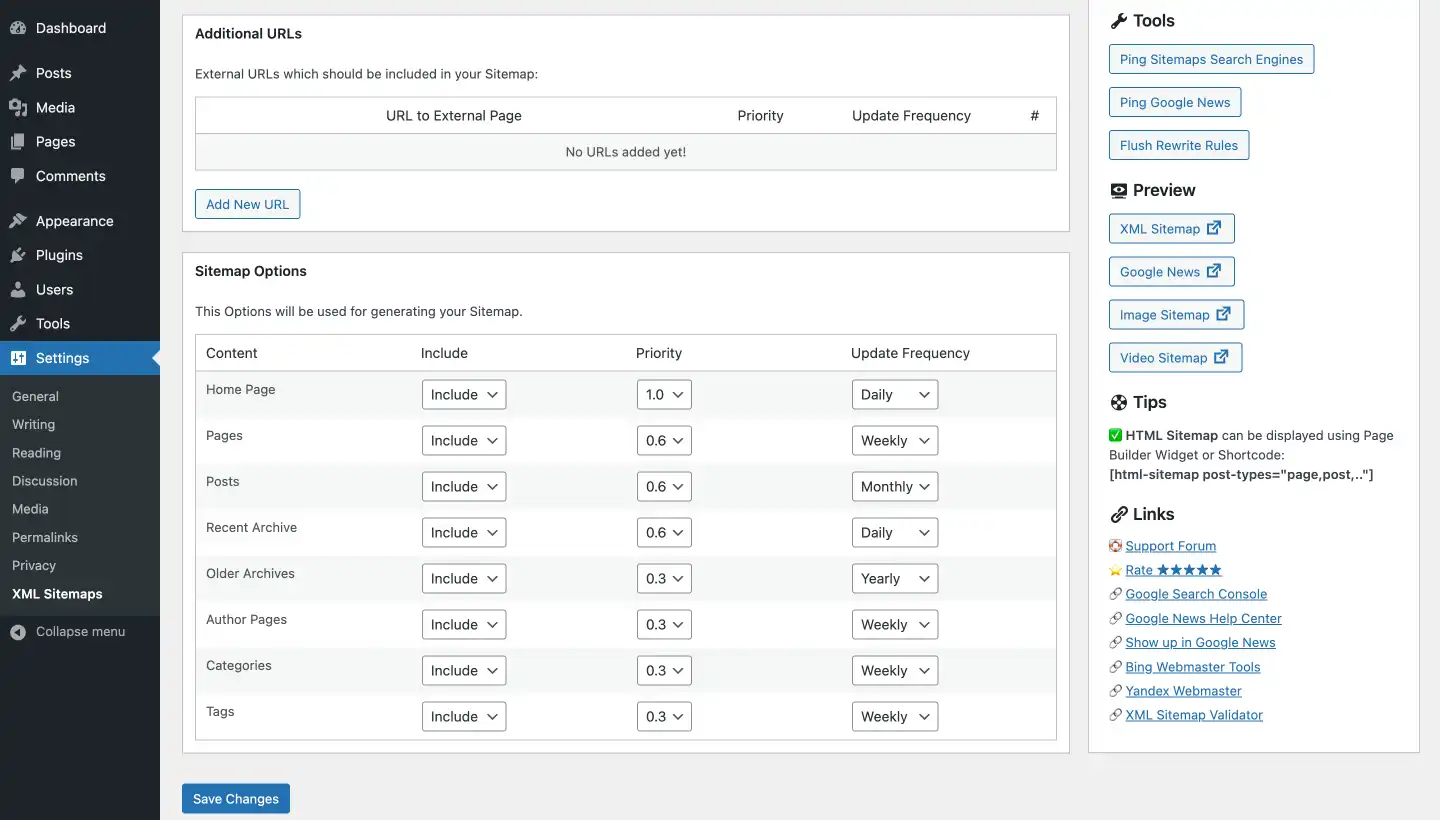
Google XML Sitemaps is a classic plugin that focuses solely on creating comprehensive XML sitemaps to improve search engine indexing.
It generates sitemaps for posts, pages, custom post types, and taxonomies, helping Google, Bing, and Yahoo better crawl your content.
The plugin updates the sitemap automatically whenever content changes, and its simplicity makes it a favorite for users who only need this one critical SEO feature without all the extras.
Key Features
- Automatic XML sitemap generation
- Supports all post types and custom taxonomies
- Notifies search engines on content updates
- Customization of sitemap priority and frequency
- Compatible with most SEO plugins
Pros and Cons
Pros:
- Very lightweight and fast
- Reliable and well-maintained
- Does one job extremely well
- No bloat or distractions
Cons:
- Only handles sitemaps—no other SEO tools
- Lacks visual dashboard or on-page analysis
- Limited support for schema or image SEO
Pricing
- Free Version: Completely free with all features included
- Premium Version: Not available—plugin is free-only
15) W3 Total Cache

W3 Total Cache is a performance optimization plugin that indirectly enhances SEO by dramatically improving page speed.
Since site speed is a major Google ranking factor, W3 Total Cache helps you gain a competitive edge.
It provides advanced caching options including page cache, object cache, browser cache, database caching, and support for CDNs.
Designed for developers and advanced users, it’s highly configurable and ideal for high-traffic or content-heavy websites.
Key Features
- Page and browser caching
- Minification of HTML, CSS, and JavaScript
- Database and object caching
- CDN integration support
- Lazy loading and mobile optimization
- Opcode cache support (e.g., APC, OPcache)
Pros and Cons
Pros:
- Great impact on page speed and performance
- Highly customizable for advanced users
- Compatible with WooCommerce and multisite
- Supports AMP and SSL optimization
Cons:
- Complex setup; not beginner-friendly
- Can conflict with certain themes or plugins
- Misconfiguration may break site functionality
Pricing
- Free Version: Available with core performance features
- Pro Version: Starts at $99/year for advanced support and extra performance tools
16) Internal Link Juicer

Internal Link Juicer is a specialized SEO plugin that automates internal linking within your WordPress site.
It improves on-page SEO by distributing link juice more effectively, boosting authority across your important pages.
The plugin allows you to define keywords and phrases that automatically link to designated URLs whenever they appear in your content.
You can control link frequency, placement, and targeting, making it a powerful tool for SEO-savvy users who want to strengthen internal architecture and improve crawlability.
Key Features
- Automatic internal linking based on keyword mapping
- Custom link frequency and limit settings
- Blacklist/whitelist controls to exclude specific content
- Context-sensitive link placement
- Supports multilingual sites (WPML, Polylang)
Pros and Cons
Pros:
- Saves hours of manual internal linking
- Improves site structure and SEO crawlability
- Advanced control over linking strategy
- Works seamlessly with most themes and editors
Cons:
- Requires setup and planning for optimal results
- Free version is limited in features
- May over-optimize if not configured carefully
Pricing
- Free Version: Available with limited features
- Pro Version: Starts at $69/year for a single site with advanced settings and control
17) Slim SEO
Slim SEO is a lightweight and automated SEO plugin designed for users who want a “set it and forget it” experience.
It covers all essential SEO functions—meta tags, XML sitemaps, canonical URLs, Open Graph tags, and schema—without requiring any setup.

This makes it ideal for beginners or developers building SEO-optimized websites with minimal effort.
The plugin is intentionally minimal, avoiding the complexity and bloat of feature-heavy alternatives like Yoast or AIOSEO.
Key Features
- Automatic meta title and description generation
- Open Graph and Twitter Card support
- XML sitemap generation
- Schema.org structured data support
- Canonical URL setup
- Breadcrumbs integration
Pros and Cons
Pros:
- Extremely lightweight and fast
- No configuration required—auto setup
- Great for beginners or minimalist websites
- Developer-friendly and extendable via hooks
Cons:
- Lacks advanced customization options
- No keyword analysis or content suggestions
- Not ideal for large or SEO-intensive sites
Pricing
- Free Version: Fully functional and available in the WordPress repository
- Pro Version: Not required—plugin is completely free with all features included
18) SEOquake
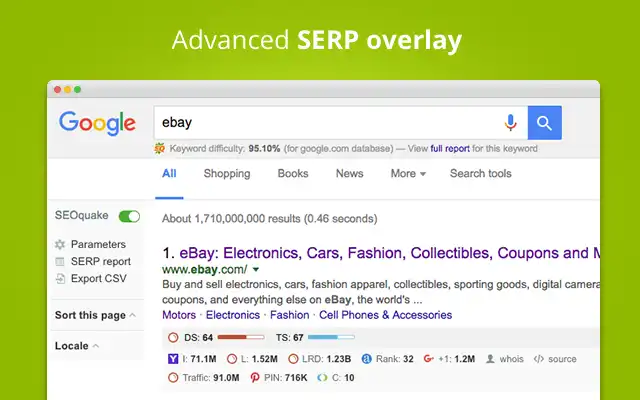
SEOquake is technically a browser extension by SEMrush, but it plays a vital role in SEO for WordPress users.
It offers on-the-fly SEO audits of any page—including your WordPress site—providing real-time metrics like keyword density, backlinks, page rank, and more.
It also shows detailed SERP analysis, helping you size up the competition. Ideal for on-page audits, keyword comparison, and competitive research, SEOquake is a must-have for marketers and SEO professionals.
Key Features
- Real-time SEO audit for any page
- Keyword density and link analysis
- SERP overlay for competition research
- Exportable SEO reports
- Works on Google, Bing, Yahoo, and more
Pros and Cons
Pros:
- Excellent for quick, data-rich audits
- Helps compare on-page SEO of competitors
- Completely free to use
- Lightweight and accessible
Cons:
- Not a WordPress plugin per se (browser-based)
- Doesn’t automate changes—only audits
- Limited use for beginners without SEO background
Pricing
- Free: 100% free browser extension (Chrome, Firefox, etc.)
- Pro Features: No premium version; uses SEMrush integration for advanced data
19) Jetpack (SEO Module)
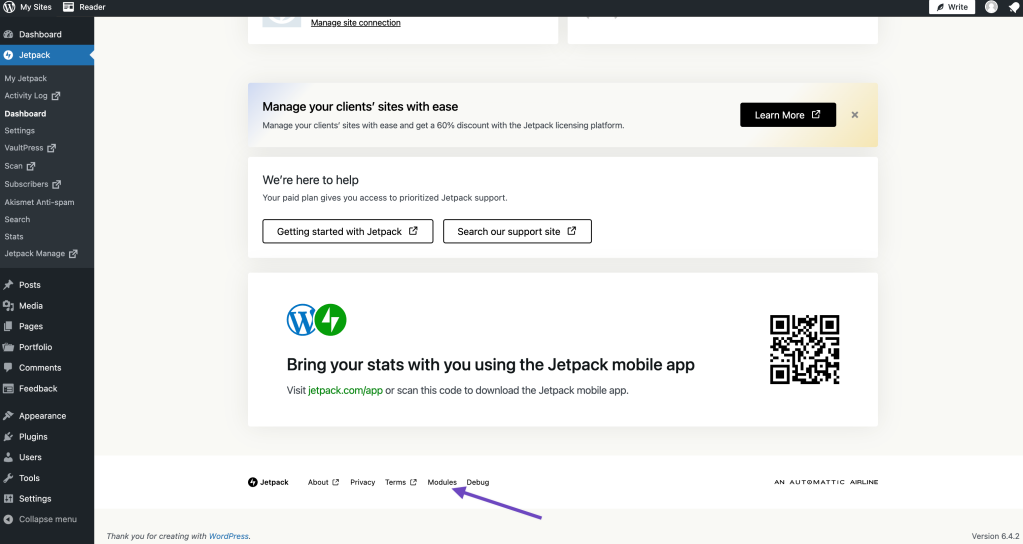
Jetpack by Automattic is a multi-purpose plugin with performance, security, and SEO features. While not primarily an SEO plugin, its SEO module (available in premium versions) allows for social previews, meta description control, and sitemap creation.
It also improves your SEO indirectly by boosting security, uptime monitoring, and site speed. Ideal for beginners and those who want an all-in-one solution, Jetpack simplifies plugin management.
Key Features
- Social media preview and post optimization
- Automatic XML sitemap generation
- Lazy loading and performance tools
- Downtime monitoring and security scans
- Jetpack CDN and site stats
Pros and Cons
Pros:
- All-in-one functionality (SEO, security, speed)
- Developed by WordPress.com creators
- Seamless setup and integration
- Useful for small and beginner websites
Cons:
- SEO module is only available in paid plans
- Can bloat your site with unused modules
- Less control compared to dedicated SEO tools
Pricing
- Free: Core Jetpack features available without cost (excluding SEO module)
- Paid Plans: Starting from $9.95/month (includes SEO tools, backups, performance, and security enhancements)
20) Autoptimize
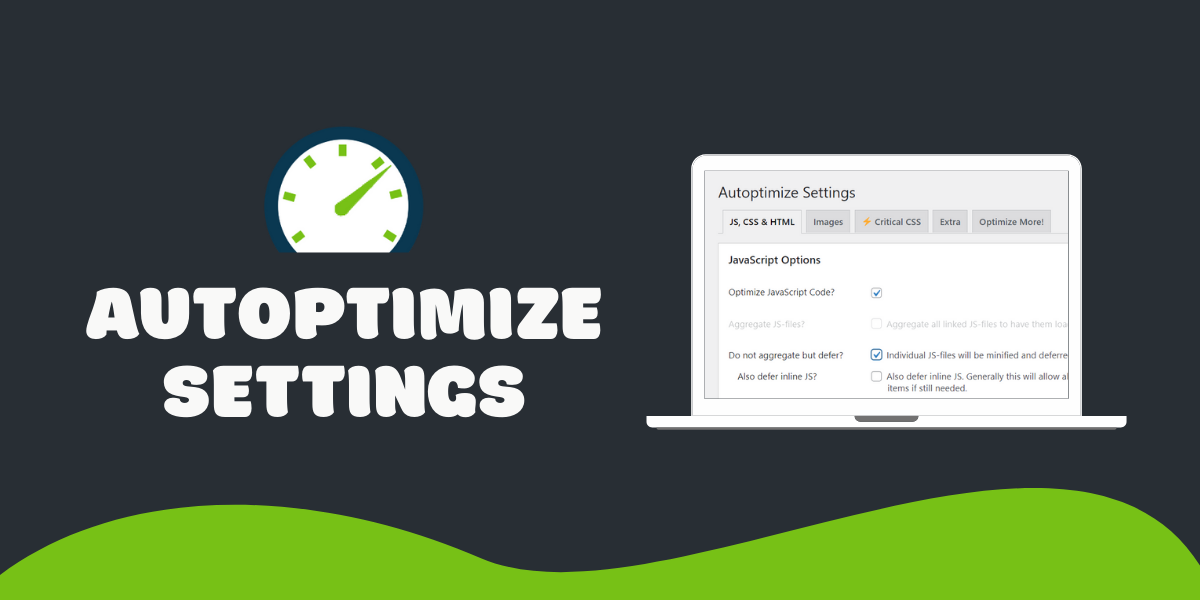
Autoptimize isn’t a traditional SEO plugin, but it greatly enhances your SEO by optimizing front-end performance. It compresses and minifies HTML, CSS, and JavaScript files, resulting in faster page loads—a direct ranking factor for Google.It also supports lazy loading, image optimization, and preloading of assets. When paired with a caching plugin like WP Rocket, Autoptimize can make a significant difference in page speed and Core Web Vitals scores.
Key Features
- Minify and combine CSS, JS, and HTML
- Lazy load images and optimize delivery
- Google Fonts and async JavaScript control
- CDN integration and cache optimization
- Preload key resources for faster rendering
Pros and Cons
Pros:
- Simple to use yet powerful
- Significantly improves page speed
- Compatible with most themes and plugins
- Free with premium image optimization add-ons
Cons:
- May require trial and error to avoid conflicts
- Doesn’t include traditional SEO features
- Needs to be combined with other SEO tools for full optimization
Pricing
- Free: Core plugin is fully functional at no cost
- Optional Add-ons: Premium features for image optimization available via companion services (starting around $4/month)
Which are the Best Free WordPress SEO Plugins?
Choosing the right SEO plugins is crucial for maximizing your website’s visibility and organic reach.
The 20 Free WordPress SEO plugins we covered offer a wide range of functionality. You can easily do on-page SEO and keyword tracking to speed optimization, internal linking, and advanced schema integration.
If you’re a beginner, Yoast SEO, Rank Math, or Squirrly SEO provide a great starting point with simple interfaces and guided optimization. For performance improvements, plugins like WP Rocket, Autoptimize, and W3 Total Cache help enhance load times.
Meanwhile, advanced users and marketers may benefit more from tools like SEOPress, Ahrefs SEO, and SEOquake for deeper insights and control.
Ultimately, no single plugin will do everything. A smart strategy is to combine two or three complementary plugins that don’t conflict and focus on different SEO aspects. Always Keep your plugins updated, run regular SEO audits, and stay current with algorithm changes to maintain your search engine rankings.
By using the right tools thoughtfully, you’ll improve not just rankings but overall site quality.